
is here! Shop now, pay later in 4 easy installments
DeliveryNZ-wide
100mm Futaba-Style Servo Pigtail Lead – Male Plug, 22 AWG to Pinterest (opens in a new window)

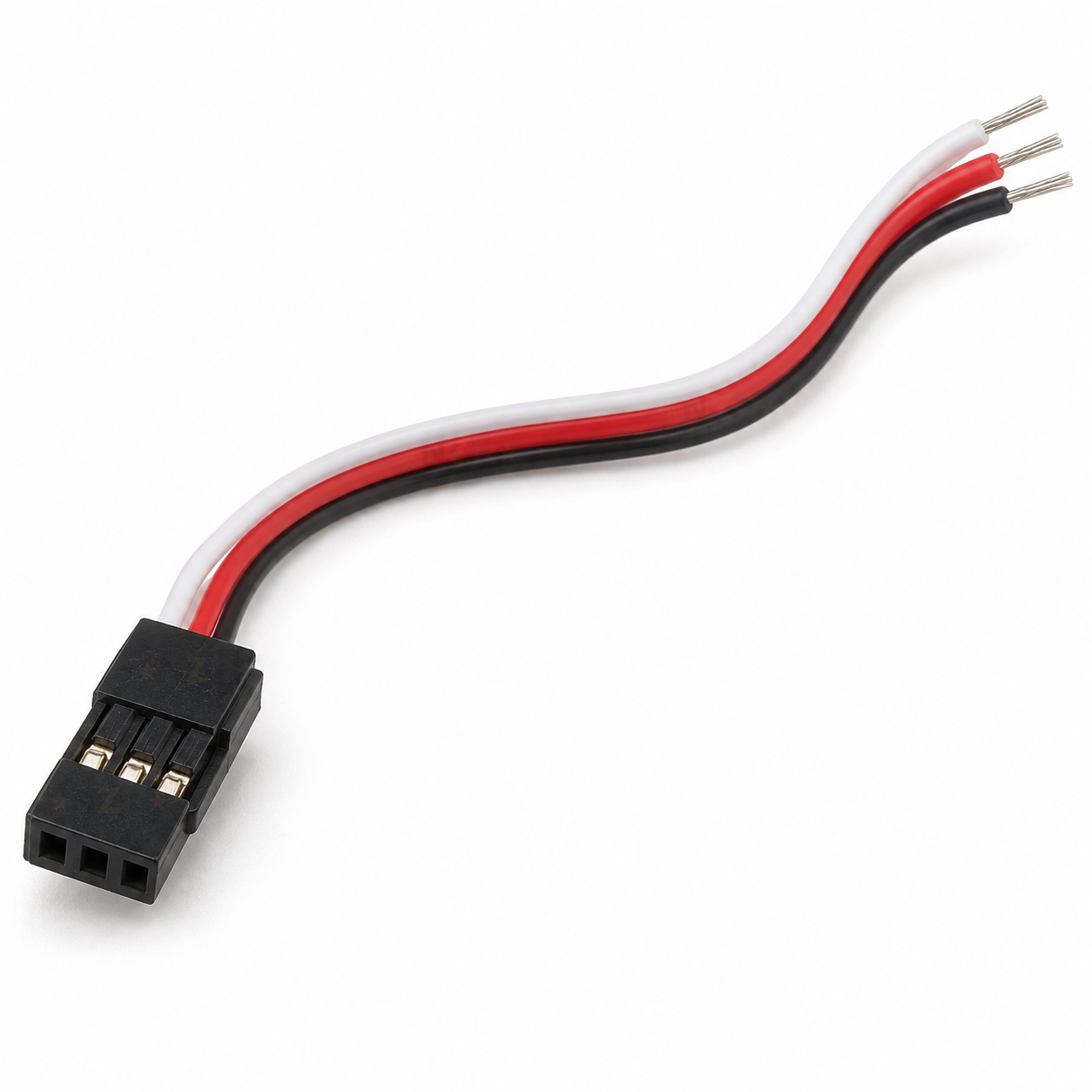
100mm Futaba-Style Servo Pigtail Lead – Male Plug, 22 AWG

$4.49 incl. gst

SKU: CLICK-IT-401256 Category:

Verified specifications

Brand
NZN Electronics

Taken from this product's published details. If something is not listed here, it has not been verified.

Ask AI about this product

Answers use this product's information and the store's details. If it cannot be confirmed, it will point you to our team.

Any language. Press Enter to ask

Frequently bought together

Bundle idea: this item plus 2 recommended accessory/accessories, $15.07 in total. Add each item to the cart below.

Description

A short 100 mm servo lead with a Futaba-style male plug on one end and bare wire tips on the other. Use it to replace a damaged plug on a servo, ESC or sensor, or to make your own lead for a receiver or servo header. Solder or splice the free end to your device and the plug fits a standard 3-pin servo connection.

Specifications

PlugFutaba-style male, 3-position keyed housing
Fits3-pin 2.54 mm servo headers and Futaba-style sockets
Nominal length100 mm
Wire coloursWhite signal, red positive, black negative
Cable formFlat 3-wire ribbon, 22 AWG supplier-listed
Free endShort bare stranded tips, ready to solder

What’s in the box

1 x
100 mm Futaba-style servo pigtail lead

One male plug with a 100 mm flat white, red and black lead and bare tips.

Great for

Replacing a broken servo plug

Cut off a cracked or damaged plug and solder this lead on in its place.

ESCs, sensors and lights

Give a bare-wired device a plug that fits a receiver channel.

Arduino and ESP32 servo headers

Connect your own wiring to the 3-pin servo rows on boards like the Nano IO expansion shield.

Wiring & getting started

  1. Power off first

    Disconnect the battery or supply before cutting or soldering any lead.

  2. Match the colours

    Join white to the signal wire, red to positive and black to negative (ground) on your device. Check your device’s own wire colours, as some use orange, red and brown instead.

  3. Solder and insulate

    Solder each joint and cover it with heat-shrink so no bare copper is left showing.

  4. Plug in the right way round

    On a receiver or servo header, black goes to the negative or ground pin, usually the outer edge. Check the markings before powering up.


Additional information

Brand

NZN Electronics

Reviews

There are no reviews yet.

Only logged in customers who have purchased this product may leave a review.

We’d love to hear what you think!