

Description
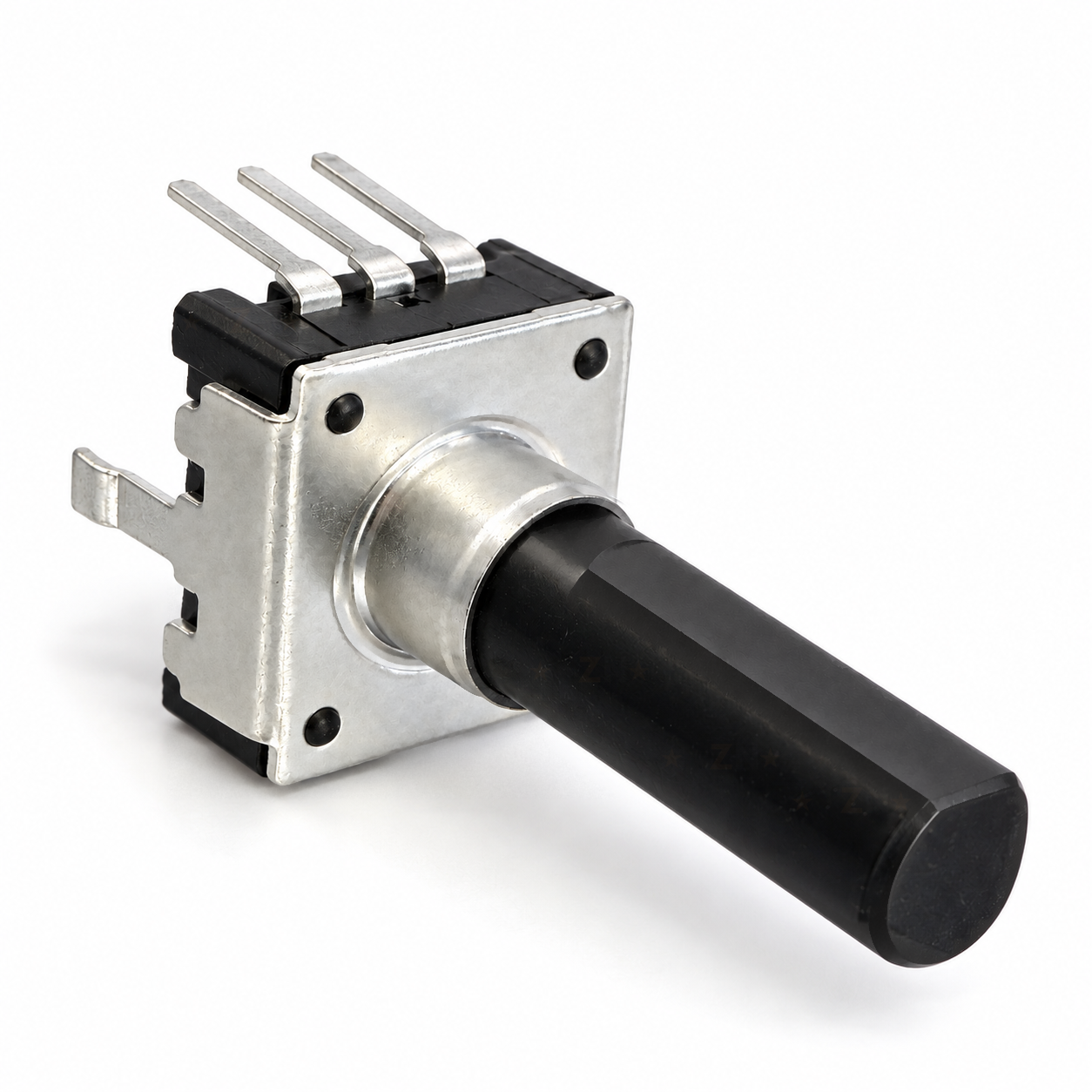
A rotary encoder is a knob that tells a microcontroller which way and how far it has been turned, and it spins endlessly with no end stops. This 12mm one turns smoothly with no clicks and gives 24 pulses a turn on two A/B channels, so an Arduino, ESP32 or Pico can read both direction and speed.
Use it for a volume or tuning knob, scrolling through a menu, or setting a value like motor speed or screen brightness. It works with 3.3V and 5V boards, takes a standard knob on its insulated 6mm D shaft, and mounts on a PCB, so it does not fit a breadboard. For prototyping, female jumper wires push straight onto its pins, or solder wires on for a more lasting fit. The collar has no thread or nut, so if it is not going on a PCB, hold it in place with glue or a snug press-fit hole.
Specifications
Datasheets
Wiring & getting started
Wiring diagramArduino Nano

-
Mount it
On a PCB, the three pins and both frame tabs go through the board and the shaft stands straight out. Solder the tabs as well as the pins, because they take the strain when the knob is turned. The flat pins do not fit a breadboard, so for a prototype or a quick test, push female jumper wires onto the three pins, or solder short wires on for a more lasting fit. Either way, solder quickly and keep flux out of the open back of the body.
-
Wire it
C, the middle pin, goes to GND. A and B go to two digital pins. On an Uno or Nano, use pins 2 and 3, because they react to every change and fast turns are not missed. The example code turns on resistors built into the board, so no extra parts are needed.
-
Load the test code
Install the Encoder library by Paul Stoffregen from the Library Manager, upload the code below and open the Serial Monitor at 9600 baud.
Example Arduino codeArduino C++
// 12mm encoder test: A to D2, B to D3, C (middle pin) to GND. // Needs the Encoder library by Paul Stoffregen (Library Manager). #include <Encoder.h> Encoder knob(2, 3); // turns on the internal pull-ups for you long lastCount = 0; void setup() { Serial.begin(9600); Serial.println("Turn the shaft. One full turn is 96 counts."); } void loop() { long count = knob.read(); if (count != lastCount) { lastCount = count; Serial.println(count); } } -
Check it works
Clockwise counts up and anticlockwise counts down, with 96 counts in a full turn. However, if clockwise counts down, swap the A and B wires or the two pin numbers in the code. For a volume or menu control, divide the count by 4 to get 24 steps a turn.
-
Add a knob (optional)
Any push-on or set-screw knob for a 6mm D shaft fits. The datasheet has the PCB footprint, and a filter circuit if you run long wires.




Reviews
There are no reviews yet.